Font size in BluOS Controller

People have been reporting this for years, but the Bluesound UI development team still ignores it.
The font size in the BluOS Controller app is WAY TOO SMALL! Specifically, when a song is playing, it is almost impossible to read the name of the artist/album/song. The font is not only too small, it is kind of grayish (not pure white), which makes it even harder to read.
Could you please increase the font size, or make it customizable? It is a critical issue for many people, especially those with less than perfect vision. Thank you.
-
Official comment

Hi Mick
Font Size and display are dictated by your operating system - this is controlled in Windows Settings for your entire laptop.
-

Just to let you know that you're not alone, I totally agree.
Unfortunately from my experience, Bluesound support is not interested in our claims or suggestions. They just don't care.
1 -
Yeah, I know what you mean. They could've at least explain why they wouldn't do it. Is it because their "design philosophy" prohibits it, or could there be legal matters or something? There must be a good reason. Dear Bluesound, could you do us a favor and tell us what is that reason? We really need to know, so we can at least put it to rest.
0 -
Hi Mick
Font Size and display are dictated by your operating system - this is controlled in Windows Settings for your entire laptop.
Hi, TonyThank you for your answer. Regarding changing the font size in the OS. First of all, I'm not using a laptop and I'm not using Windows either. I have a Mac mini running macOS Monterey, but that's not really the point. Mac or Windows - makes no difference.
The truth is, you cannot control text font sizes selectively. You can make all text larger (in both macOS and Windows), but that's not what we want, do we? We don't want to make all fonts in all applications larger. We want to increase the size of that specific miniature and illegible font that your app is using to display the info about a song being played, and that can be done only in the app itself.
You've heard all the complaints and requests from your devoted customers about making the font larger. Why are you still refusing to acknowledge the issue and just fix it is beyond me. Oh well. Thank you anyway.
0 -

same here, song info is too small to read from normal distance:(
please make it customizable
1 -

Is it there any consideration from bluesound team for this major issue reported by many users ?
thank you
1 -

Cmon guys Fix this stuff please!!
0 -

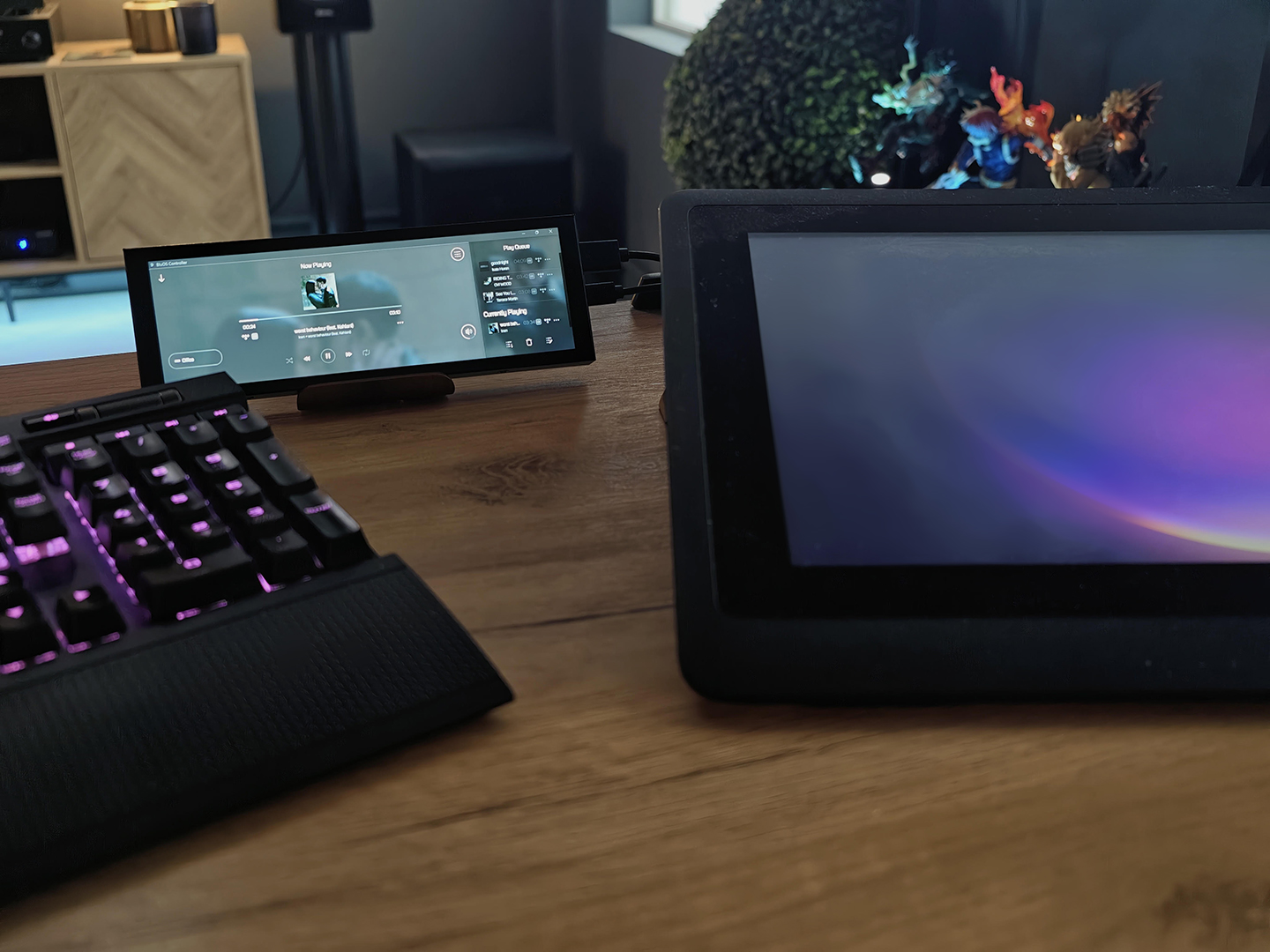
I just got a small dedicated monitor the BluOS Controller, I get it though, the screen is small. But even when I move the controller to my ultrawide monitor the font size of the songs stay the same. I can change it in Windows but that means I have to change all my fonts sizes in Windows, I dont want to do that. I just want to change the font size for the BlueOS. Also wish I could change the background color to black instead of that grey you see but for now I would just love to change the font size.
 0
0
Please sign in to leave a comment.
Comments
8 comments