TIDAL Hi-Res (24-bit/44.1kHz) is downsampled to 16-bit/44.1kHz when using native TIDAL in BluOS
Answered
Hello BluOS Team,
I would like to report a reproducible issue regarding TIDAL Hi-Res playback on BluOS.
Setup:
NAD C390DD with MDC BluOS 2i
BluOS Controller (Windows)
TIDAL subscription with MAX quality enabled
Observed behavior:
When playing the track “Lullaby – Larry Carlton” directly in the TIDAL desktop app, the stream is confirmed as FLAC 24-bit / 44.1 kHz (TIDAL original file).
When using TIDAL Connect to send playback to BluOS (without signing into TIDAL inside BluOS), BluOS correctly plays the track at 24-bit / 44.1 kHz.
However, when signing into TIDAL natively inside BluOS Controller and playing the same track, BluOS reports playback as FLAC 16-bit / 44.1 kHz, even though the track is labeled as Hi-Res / HR in the queue.
Expected behavior:
Native TIDAL playback in BluOS should deliver the original TIDAL file resolution (24-bit / 44.1 kHz) without bit-depth reduction.
The displayed HR badge should match the actual output resolution.
Additional notes:
There is currently no user-accessible setting in BluOS to disable downsampling or force original bit depth from TIDAL.
The issue appears to be related to differences between TIDAL Connect vs native TIDAL API implementation in BluOS.
Screenshots are attached showing both cases for reference.
Thank you for considering this feedback. This improvement would be very valuable for users who rely on BluOS for bit-perfect Hi-Res playback.
Best regards,
🔹 สรุปให้คุณมั่นใจ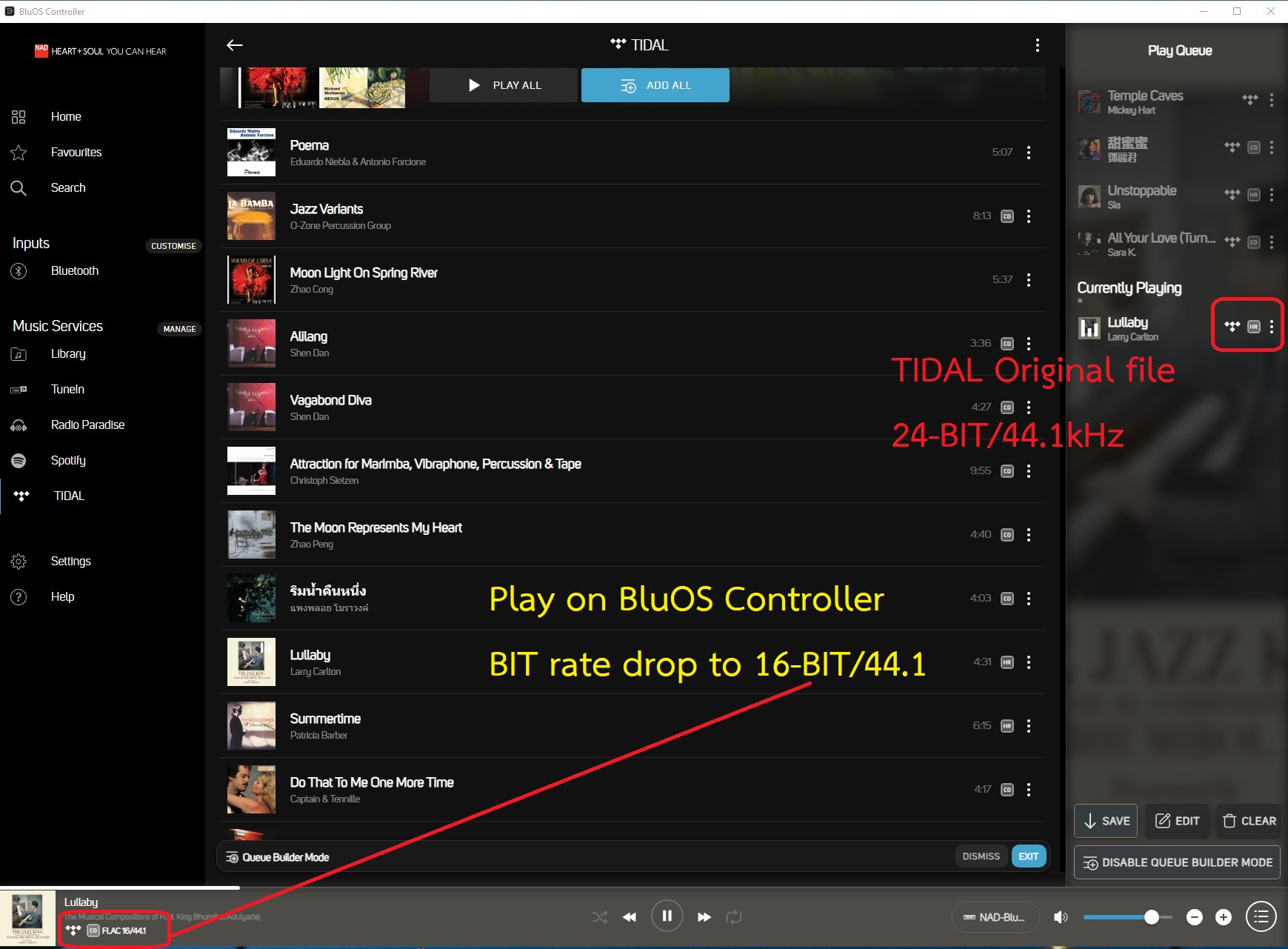
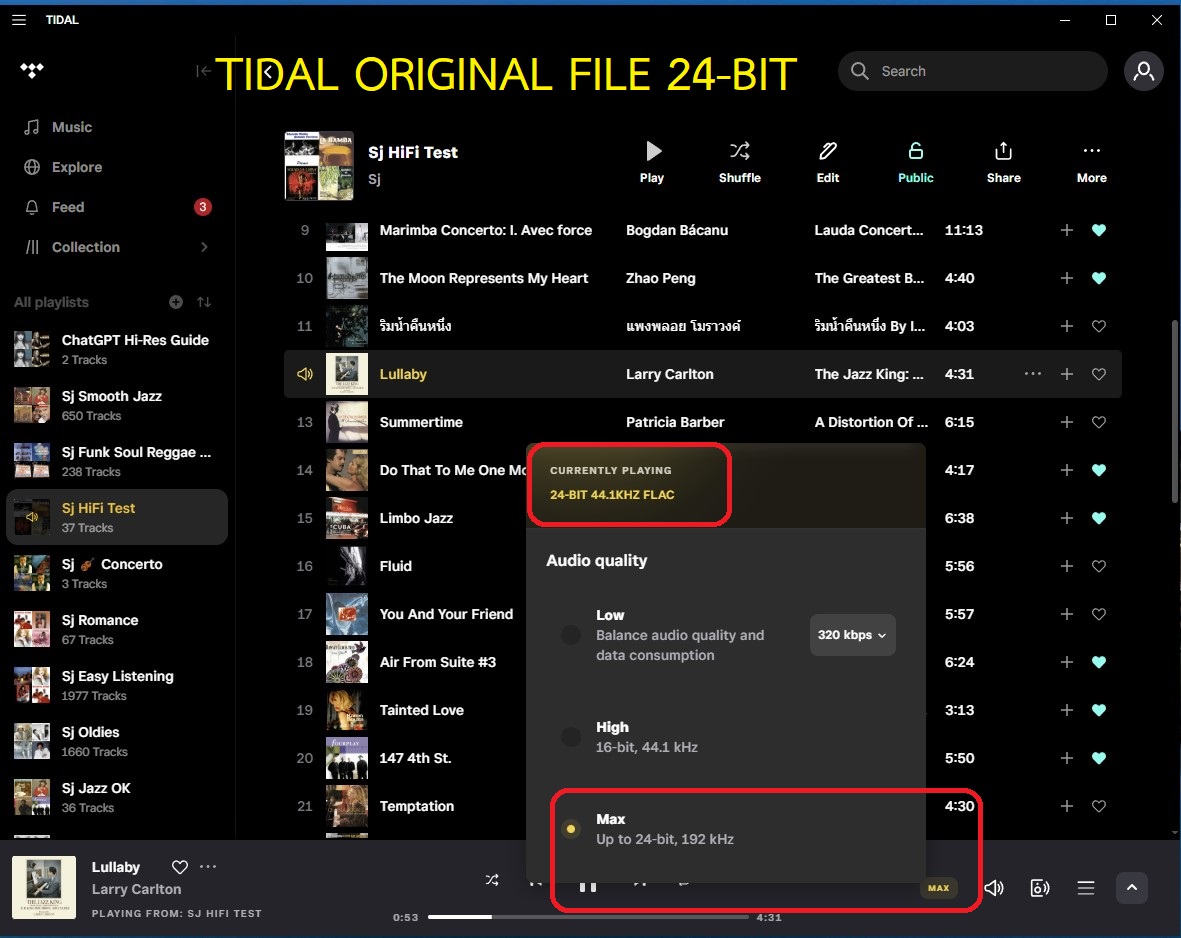
-
Official comment

Hi,
Please make sure that streaming streaming quality is set to HiRes in BluOS. To check this, select Manage in music service, select Tidal and confirm that HiRes settings is selected. See screenshot below for reference.
For 1:1 assistance, please feel free to send us a support to support@nadelectronics.com and a member of our support crew will be more than happy to assist you.
Thanks for #LivingHiFi -
Hi Mark,
Thank you very much for your response and for taking the time to share the detailed guidance and screenshot. I really appreciate your support and the clear explanation on where to check the Hi-Res streaming settings in BluOS.
Your help is very valuable and helps me better understand how BluOS handles TIDAL playback. Thanks again for the excellent support.
Best regards,
0
Post is closed for comments.
Comments
2 comments