bluos quit working with qobuz
Answered
It doesn't even kind of work. firmware update took me complete offline. to many bugs to list.
-
Official comment

Hi Steve,
I've escalated your feedback to a support request. A member of our support crew will reach out to you soon.
-

Same issue on Node X... Qobuz Connect is broken. However, Roon playing Qobuz works fine.
0 -

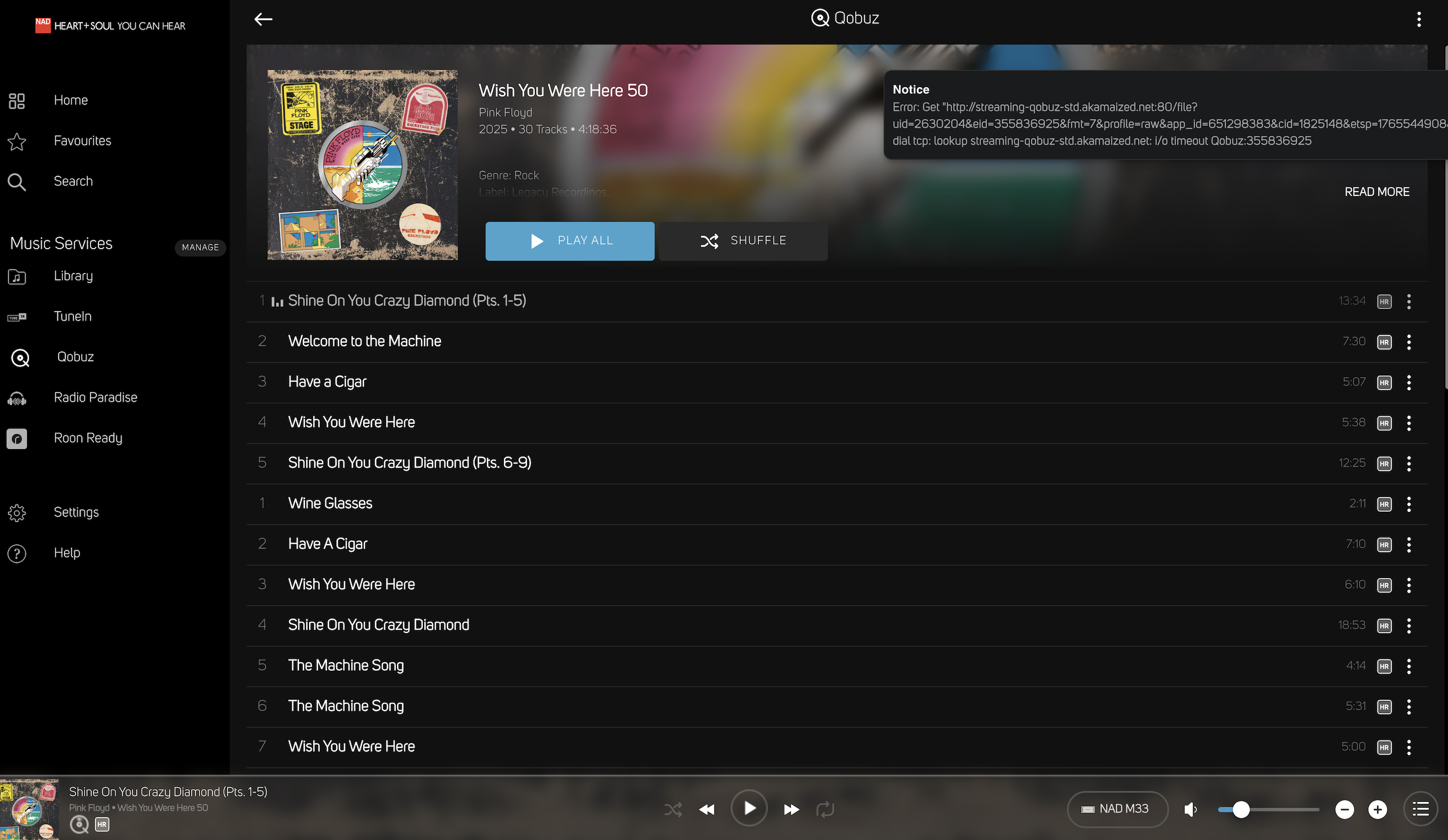
I have the same problem with the NAD M33. Qobuz does not work from BluOS and Qobuz connect does not work from the Qobuz app. Please tell me what can be done to make everything work?
 0
0 -

Sasha , that’s a Qobuz error, BluOs is unable to get tracks in a timely manor. You can try logging out of Qobuz in the BluOS app and back in again, this will hopefully connect to a different server. Qobuz also has routing issues and this can be helped by using a DNS server on your router such as Google or Cloudflare.
If this does not help then after the error message in the BluOS app “send support request”, this will send the logs to support for further investigation
1 -
Hi Seppi,
Thanks a lot for the quick reply. I tried to do everything as you suggested, but nothing could be fixed. I logged out of my Qobuz account and rebooted M33. I installed DNS on the router 8.8.8.8 and 1.1.1.1 - there is no connection. Before the upgrade to BluOS 4.12.11, I could listen to Qobuz from the BluOS app. Now I don't have Qobuz Connect and I don't have Qobuz connection via BluOS. I see that I'm not the only one with this problem. Maybe there are other solutions?
P.S.
Everything works fine through Roon0 -
Please email NAD for support of your NAD M33 support@nadelectronics.com They will be able to help you.
0 -
OK. Thank you
0 -

I've had similar issues. Since the last update, both my node and vault are having issues with certain songs on albums. For instance, listening to Sgt Peppers and the first 4 or 5 songs will play like normal, then it stops. I try to manually play the next song and I get a player error. I select a different song and it plays fine. Try the song it stopped on and I get the error again. This is on both units and only some albums - I'm entering qobuz with the BluOS app - like I have for years.
0 -

Contact Qobuz, they will update you on their issues. In the meantime logout of Qobuz in the BluOS App and back in again using CD quality. This should allow you to play music whilst you wait for Qobuz.
0
Please sign in to leave a comment.
Comments
9 comments